A new way to work a radio station
The radio stays at the desk. The operator doesn't have to.
A radio data station ties the operator to one desk. Step away to brief a team, check on a shelter or get some rest, and you can miss a call, a message or an urgent broadcast.
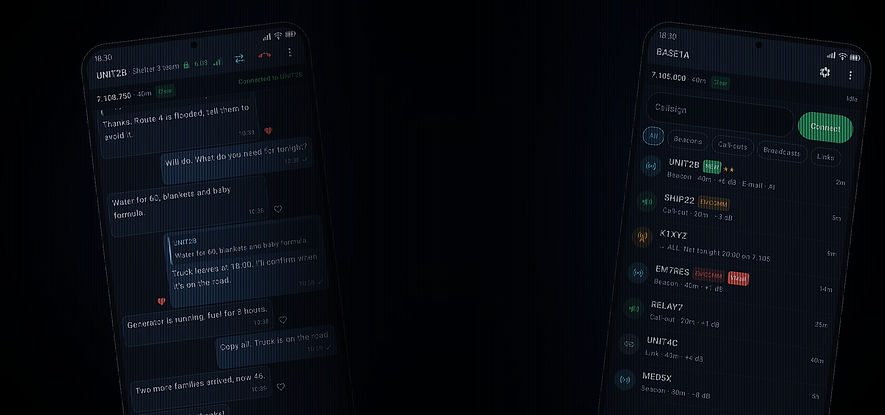
The SafecomLink app connects your phone to your SafecomLink station over the local private network. Calls ring on your phone, messages arrive as they come in, and you answer, broadcast or change frequency from wherever you are. The station still does the radio work. The phone is its remote.
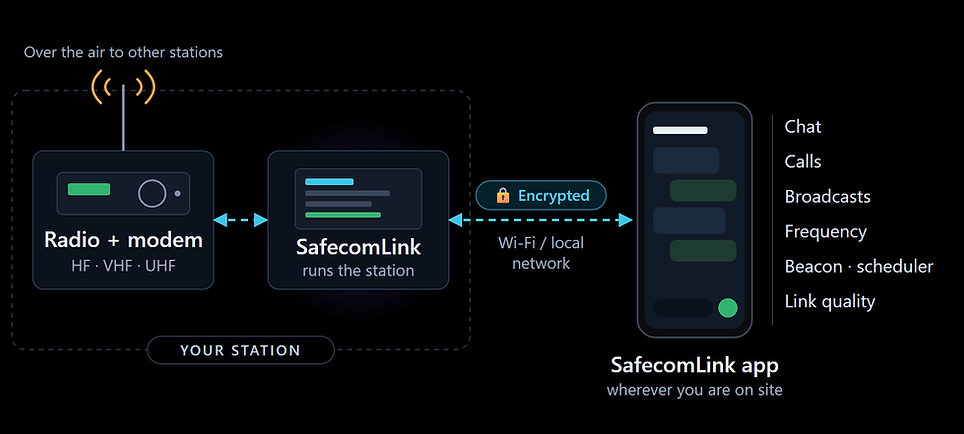
How the app changes a shift at the station
At the desk you see everything. With the app, you see it everywhere.
Setup
Incoming call
New message
Station only
Operator at the desk
Heard only at the desk
Waits on the screen
Step away: you miss it
Station + app
Rings your phone
Read and reply anywhere
Step away: still on it
Connected in three steps
No IP addresses to type. The app finds your station and locks onto it.
Set it up once, use it all day
1
Turn on the API
In SafecomLink, switch on the API and open its pairing QR code.
2
Install the app
Install the SafecomLink app on your Android phone or tablet.
3
Scan and go
Scan the QR code. The app connects over an encrypted link that only trusts your station.
SafecomLink App view
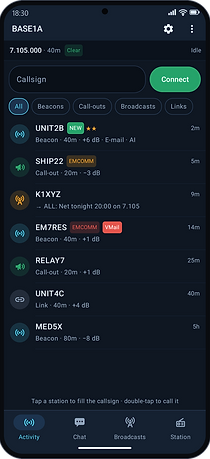
See who's on the air
Beacons, call-outs, broadcasts and links the station hears, newest first, with band and signal. Filter by type and tap a station to call it.
In the field:
Know who you can reach before you call, without walking to the PC.
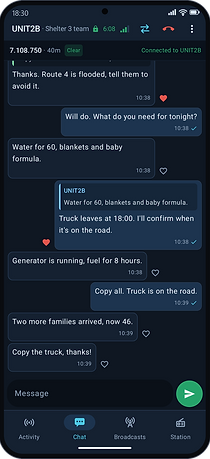
Chat from anywhere
Read and answer the link from your phone. Reply to a specific message, like it or copy it, just like any chat app.
In the field:
Answer the moment a message comes in, wherever you are.
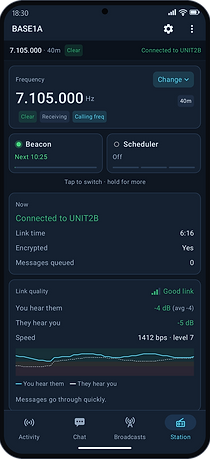
Check Link Quality
Monitor link quality, control beacons, switch between Scheduler, Scanner, and ALE, and get alerts if your modem goes offline.
In the field:
Spot problems early and decide whether to send a full report or keep it short.

Move the link
Change the radio's frequency, or move the link off the calling frequency to a free slot in two taps. Answer the other station's move request from the phone.
In the field:
Clear the calling frequency and get away from interference wherever you are.
See it in action
A station calls the base. The operator's phone rings, the chat opens by itself, and the reply goes out over the air. Recorded in the app.
Why it matters in the field
Built for teams where the operator can't stay at the radio all day.
Emergency operations center
The radio operator moves between briefings and teams, and still takes every call and message from the field.
Shelters and field camps
The radio stays in the tent or the vehicle. The team lead reads and answers traffic while working on site.
Ships and remote sites
The radio is at the chart table or in the hut. Calls ring on deck or out on the job, and the night watch gets an alert, not a missed call.